Tutorial
Your first city, then your own house in it
Part 1 builds a city from a Genesis starter pack. Part 2 makes your own house and puts it in a new city. Buttons you click look like this.
Before you start
- s&box is installed from Steam. Open it once, then close it.
- For Part 1: Genesis Framework V2 is installed. Its setup installs Genesis Studio too. Download it.
- For Part 2: Asset Generator, Validator V2 and Framework Importer are installed as well. Download them.
Build your first city
Framework V2 starts with no buildings. A starter pack gives you ready-made houses, so you can make a whole neighborhood before you design anything.
- Download the Suburban Neighborhood starter pack from the download page. In Genesis Studio, open Framework Importer, click Add Starter Pack… and choose the file.
- Open Genesis Studio. The card at the top says START HERE: Build your first city. Click Open Framework V2 →.
- Framework V2 asks What kind of city do you want to build? Suburban Neighborhood is already selected. Click Continue.
- On Choose the buildings, every slot already holds a house from the pack. Click Continue.
- Type a name for your project, for example My First City. Under Choose where to save, click Browse… and pick a folder you'll find again, such as Documents. Click Continue.
- On Review before generating, click Generate Project and wait until it finishes.
- Click Launch in S&box. s&box opens your city. The first time, this takes a few minutes.
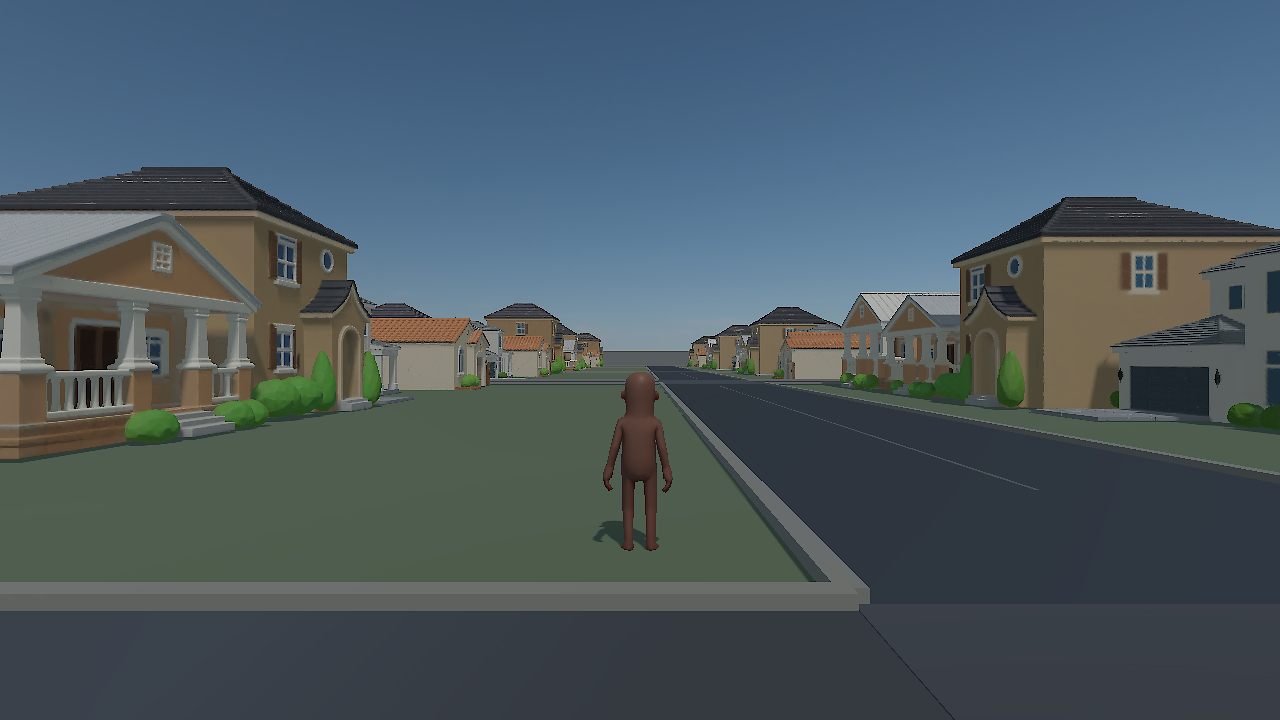
- In s&box, press Play and walk around your new neighborhood.
Make your own house and put it in a city
Your house goes through four tools, in order. Each tool ends with a Next: … → button that opens the next tool with your house already selected.
- A. Design itAsset Generator
- B. Check itValidator V2
- C. Add itFramework Importer
- D. Build a cityFramework V2
A. Design your house Asset Generator
- In Studio, find the Create a building step and click Open Asset Generator.
- Answer one question per screen and click Continue after each: a project name, the style (choose Suburban Neighborhood), the building type (House), the number of storeys, the roof and the color palette.
- Check the summary and click Validate Build. s&box opens your house.
- In s&box, press Play and walk around and inside. If you like it, click Approve. If not, click Not Approve, go back and change your answers.
- Back in Asset Generator, click Save, then Next: Check in Validator V2 →.
B. Check it Validator V2
- Validator opens with your house selected and checks its files by itself. When the checks pass, click Next: Validate in s&box →.
- The triangle budget is chosen for you. Click Open s&box and Start Validation.
- In s&box, look the house over, then click Approve Appearance, Scale & Collision.
- Validator notices the approval and shows Validation passed — ready to save. Click Save to Library, then Next: Add to Framework →.
C. Add it to Framework Framework Importer
- The Importer opens with your house selected, and its style and category already filled in. Click Continue.
- Click Import to Framework V2. When it reports the house as imported, click Next: Build a City in Framework V2 →.
D. Build a city with it Framework V2
- Choose Suburban Neighborhood and click Continue.
- On Choose the buildings, look for your house in the slots. If it isn't there, click Change ▾ on any slot and choose your house.
- Finish as in Part 1: name and save folder, then Generate Project and Launch in S&box.
- Press Play and walk to your house. It's now part of the neighborhood.
If something goes wrong
s&box looks frozen
The first time a project opens, s&box imports and compiles it, which can take several minutes. Wait for it to finish. If nothing changes after 15 minutes, close s&box and click the same button again.
Windows says "Windows protected your PC"
The installers are not signed yet. Click More info, then Run anyway. You can check a file first with its SHA-256 code on the download page.
Studio can't find s&box
Click Choose s&box folder… in Studio and pick the folder s&box is installed in. In Steam it is usually steamapps\common\sbox inside your Steam library.
Studio still says "Build your first city" after Part 1
Studio can't see the cities you've generated yet. To carry on, start Part 2 from the Create a building step.
My house isn't in the city
On Framework V2's Choose the buildings step, click Change ▾ on a slot and choose your house, then generate the city again.
A style card says it needs more houses
That style needs more buildings of its own style. Make more houses with that style in Asset Generator, or choose another style.
I closed a tool halfway through
Open Studio. Once your house is saved, the card at the top names the next thing to do with it, and one click opens the right tool with the house already selected.